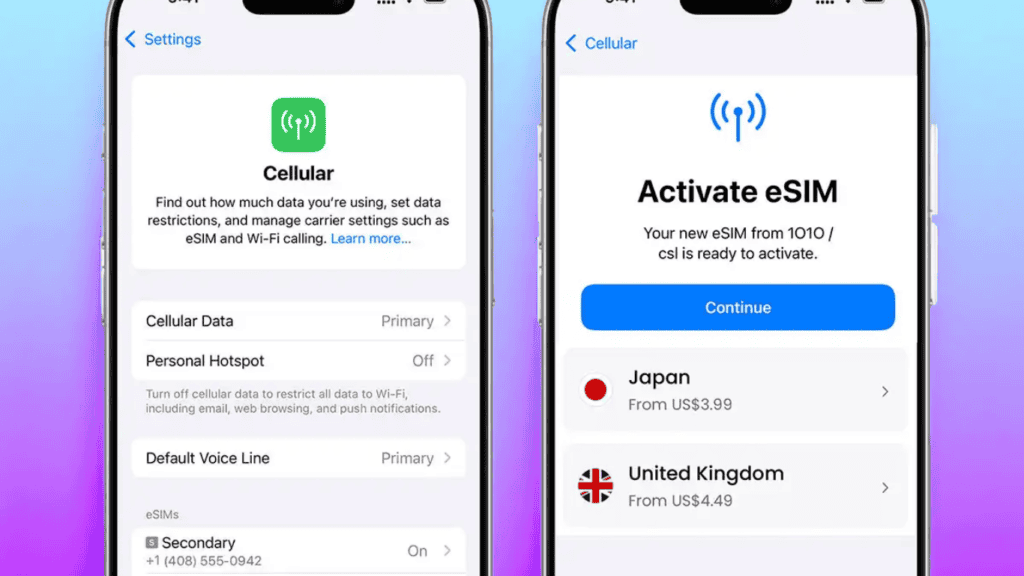
You’ve heard about eSIM. Maybe you even want to use it. But the big question is does eSIM work on all phones?
The short answer is no. But the long answer is much more useful, because knowing exactly which phones support eSIM and which don’t could save you a lot of frustration before you travel, switch carriers, or buy a new device.
In this guide, we’ll cover exactly which phones support eSIM in 2026, what you need to check before activating it, and what to do if your phone doesn’t have it.
Does eSIM Work on All Phones?
No, eSIM does not work on all phones. It is a feature that must be built into the phone’s hardware at the time of manufacture. You cannot add eSIM to a phone that wasn’t designed with it.
The good news? Most flagship and mid-range smartphones released since 2020 now support eSIM. And from 2022 onwards, even many budget phones have started including it.
If you have a phone bought in the last 2–3 years from a major brand like Apple, Samsung, or Google, there’s a very good chance it supports eSIM. Older phones and very cheap budget devices are the main exceptions.
Which iPhones Support eSIM?
Apple was one of the first companies to push eSIM widely. Here’s the full list:
| iPhone Model | eSIM Support |
|---|---|
| iPhone XS / XS Max / XR (2018) | ✅ Yes |
| iPhone 11 / 11 Pro / 11 Pro Max | ✅ Yes |
| iPhone SE (2nd gen, 2020) | ✅ Yes |
| iPhone 12 series | ✅ Yes |
| iPhone 13 series | ✅ Yes |
| iPhone SE (3rd gen, 2022) | ✅ Yes |
| iPhone 14 series (US models) | ✅ eSIM only, no physical SIM tray |
| iPhone 15 series | ✅ eSIM only (US) / Dual eSIM + physical SIM (international) |
| iPhone 16 series | ✅ eSIM only (US) / Dual eSIM + physical SIM (international) |
| iPhone X and older | ❌ No eSIM support |
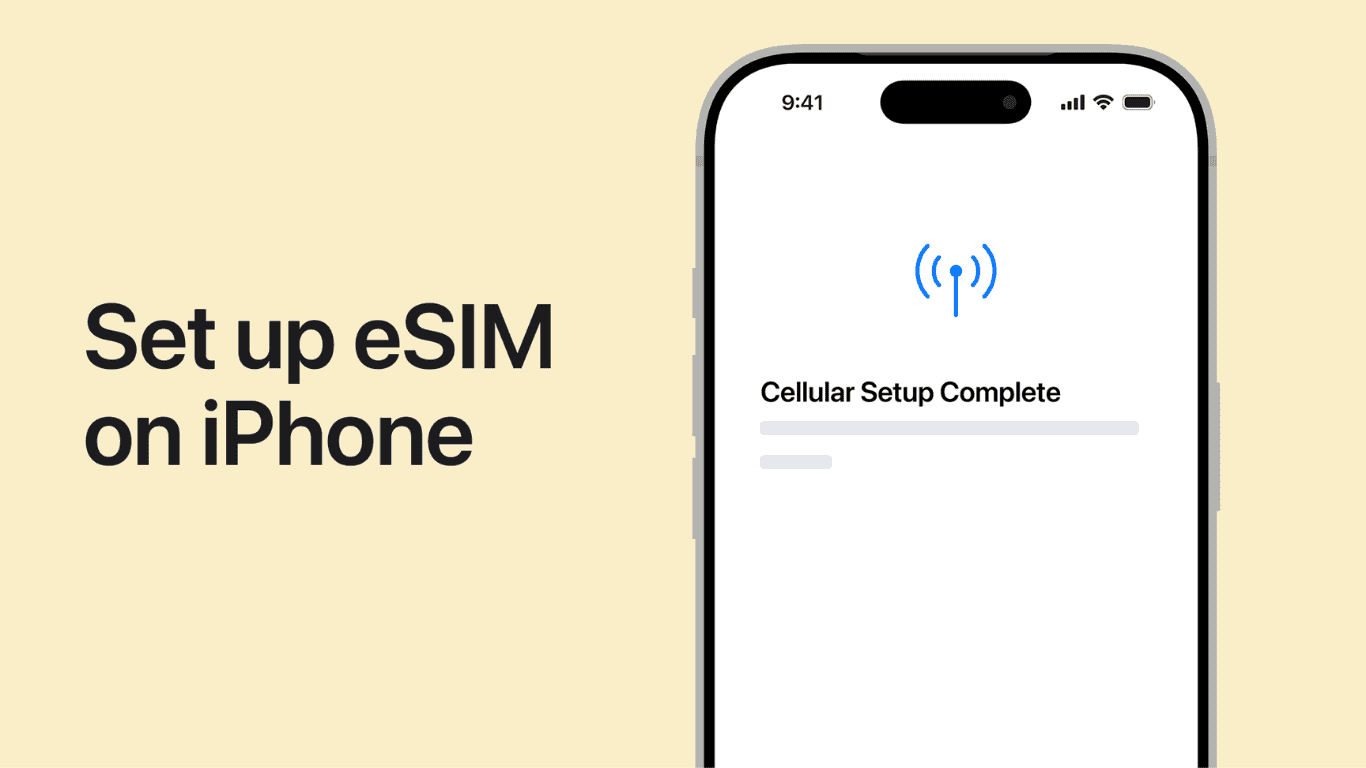
Important note for US buyers: iPhones sold in the United States from the iPhone 14 onwards are eSIM only, they have no physical SIM tray at all. International models still include a physical SIM slot alongside eSIM.
Which Samsung Phones Support eSIM?
Samsung rolled out eSIM across its Galaxy lineup more gradually than Apple. Here’s what supports it:
| Samsung Model | eSIM Support |
|---|---|
| Galaxy S20 / S20+ / S20 Ultra | ✅ Yes |
| Galaxy S21 series | ✅ Yes |
| Galaxy S22 series | ✅ Yes |
| Galaxy S23 series | ✅ Yes |
| Galaxy S24 series | ✅ Yes |
| Galaxy S25 series | ✅ Yes |
| Galaxy Z Fold 3 / 4 / 5 / 6 | ✅ Yes |
| Galaxy Z Flip 3 / 4 / 5 / 6 | ✅ Yes |
| Galaxy A54 / A55 | ✅ Yes |
| Galaxy A34 and below | ❌ Most do not |
| Galaxy S10 / Note 10 | ✅ Yes (selected regions) |
| Galaxy S9 and older | ❌ No |
Samsung regional note: Some Samsung models sold in certain countries particularly in Asia have eSIM disabled or removed entirely, even if the hardware supports it. Always check the specific model number for your region.
Which Google Pixel Phones Support eSIM?
Google has supported eSIM since early in the Pixel lineup:
| Google Pixel Model | eSIM Support |
|---|---|
| Pixel 3 / 3 XL | ✅ Yes |
| Pixel 3a / 3a XL | ✅ Yes |
| Pixel 4 / 4 XL / 4a | ✅ Yes |
| Pixel 5 / 5a | ✅ Yes |
| Pixel 6 / 6 Pro / 6a | ✅ Yes |
| Pixel 7 / 7 Pro / 7a | ✅ Yes |
| Pixel 8 / 8 Pro / 8a | ✅ Yes |
| Pixel 9 series | ✅ Yes |
| Pixel 2 and older | ❌ No |
Google Pixel phones have consistently strong eSIM support, making them one of the most eSIM-friendly Android options available.
Other Brands – eSIM Support Overview
| Brand / Model Range | eSIM Support |
|---|---|
| OnePlus 11 / 12 | ✅ Yes |
| OnePlus 10 Pro | ✅ Yes |
| Motorola Edge+ / Razr series | ✅ Yes |
| Motorola G series (budget) | ❌ Most do not |
| Huawei (P40 and newer) | ✅ Hardware yes, but carrier restrictions apply |
| Xiaomi 12 / 13 / 14 series | ✅ Yes (select regions) |
| Sony Xperia 1 III and later | ✅ Yes |
| Nokia flagship models | ✅ Some |
| Budget phones under $150 | ❌ Usually no |
Does eSIM Work on All Carriers?
Even if your phone supports eSIM, your carrier must also support it for it to work. This is a separate requirement.
Most major carriers worldwide now offer eSIM activation, including:
- USA: AT&T, T-Mobile, Verizon, Google Fi, Mint Mobile
- UK: EE, Vodafone, O2, Three
- Australia: Telstra, Optus, Vodafone AU
- Pakistan: Jazz, Zong, Telenor, Ufone (eSIM availability is expanding)
- Europe: Most major carriers support eSIM
To check: Go to your carrier’s website and search “eSIM activation” if they support it, there will be a clear page explaining how to set it up.
How to Check if Your Phone Supports eSIM
Not sure about your specific model? Here are 3 quick ways to check:
Method 1: Check Settings
On iPhone: Go to Settings → General → About and scroll down. If you see “Digital SIM” or an EID number, your phone supports eSIM.
On Android: Go to Settings → Connections → SIM Card Manager. If you see an option to add a mobile plan digitally, eSIM is supported.
Method 2: Dial a Code
Dial *#06# on your phone. If an EID (Embedded Identity Document) number appears alongside your IMEI number, your device has an eSIM chip.
Method 3: Check the Manufacturer’s Website
Search “[your phone model] eSIM support” on Google or go directly to the manufacturer’s spec page for your exact model number.
What if My Phone Doesn’t Support eSIM?
If your current phone doesn’t support eSIM, you have a few options:
- Use a regular physical SIM: still works perfectly fine for calls, texts, and data.
- Buy an eSIM-compatible travel device: some travellers carry a cheap eSIM-enabled smartphone specifically for travel data plans.
- Upgrade your phone: most new mid-range and flagship phones released in 2023 or later include eSIM.
There is currently no adapter or workaround to add eSIM capability to a phone that wasn’t built with it.
Does eSIM Work on Tablets and Smartwatches Too?
Yes, eSIM isn’t just for phones. It also works on:
- iPad: iPad Pro (2018 and later), iPad Air (3rd gen+), iPad mini (5th gen+), iPad (7th gen+)
- Apple Watch: All cellular Apple Watch models (Series 3 and later) use eSIM
- Samsung Galaxy Watch: Galaxy Watch 4, 5, 6, and 7 cellular models
- Microsoft Surface Pro: select models with LTE connectivity
- Laptops: select Windows laptops with built-in cellular support
Frequently Asked Questions
Q: Can I use eSIM and a physical SIM at the same time?
A: Yes, this is called Dual SIM. Most eSIM-capable phones let you run one eSIM profile and one physical SIM simultaneously, giving you two active numbers on one device.
Q: If I change phones, can I transfer my eSIM?
A: Yes. Contact your carrier to transfer your eSIM profile to a new device. The process takes a few minutes and is usually done through the carrier app or by calling support.
Q: Does eSIM drain more battery than a physical SIM?
A: No. eSIM uses the same amount of power as a regular SIM card. There is no measurable battery difference between using eSIM and a physical SIM.
Q: Can I have multiple eSIM profiles stored on my phone?
A: Yes. Most phones can store between 5 and 20 eSIM profiles, though usually only 1 or 2 can be active simultaneously. This is great for frequent travellers who buy local data plans in multiple countries.
Q: Is eSIM available in Pakistan?
A: Pakistani telecom operators including Jazz, Zong, Telenor, and Ufone have been rolling out eSIM support. Check with your specific carrier for current activation availability in your region.
Q: Will all phones have eSIM in the future?
A: Almost certainly. The trend is clearly moving toward eSIM-only devices (as Apple has done in the US). Physical SIM trays will likely disappear from most phones within the next few years.
Conclusion
So, does eSIM work on all phones? No, but it works on most modern smartphones released in the last 3 years. iPhones from XS onwards, Samsung Galaxy S20 and later, Google Pixel 3 and later, and most 2022+ flagship and mid-range Android phones all support it.
Before activating eSIM, confirm two things: your phone supports it and your carrier offers it. If both boxes are ticked, you’re ready to go.
Also read: What is eSIM? The Complete Beginner’s Guide | What is a Power Bank? Complete Beginner’s Guide
Not sure if your phone supports eSIM? Drop the model name in the comments and we’ll check for you.