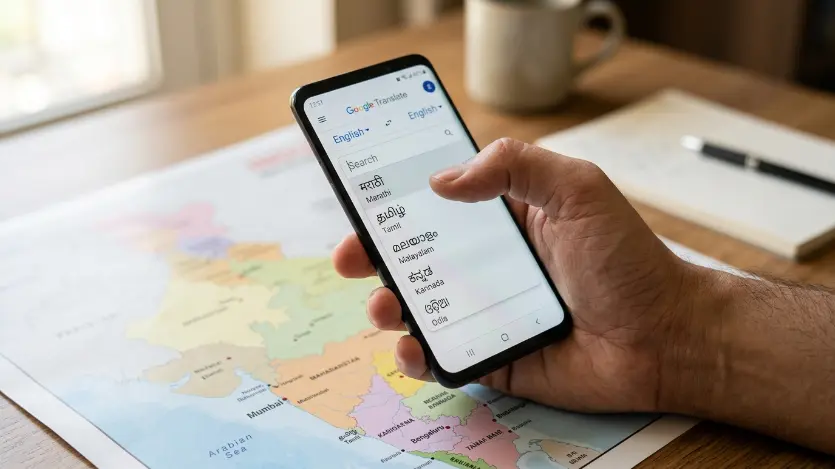
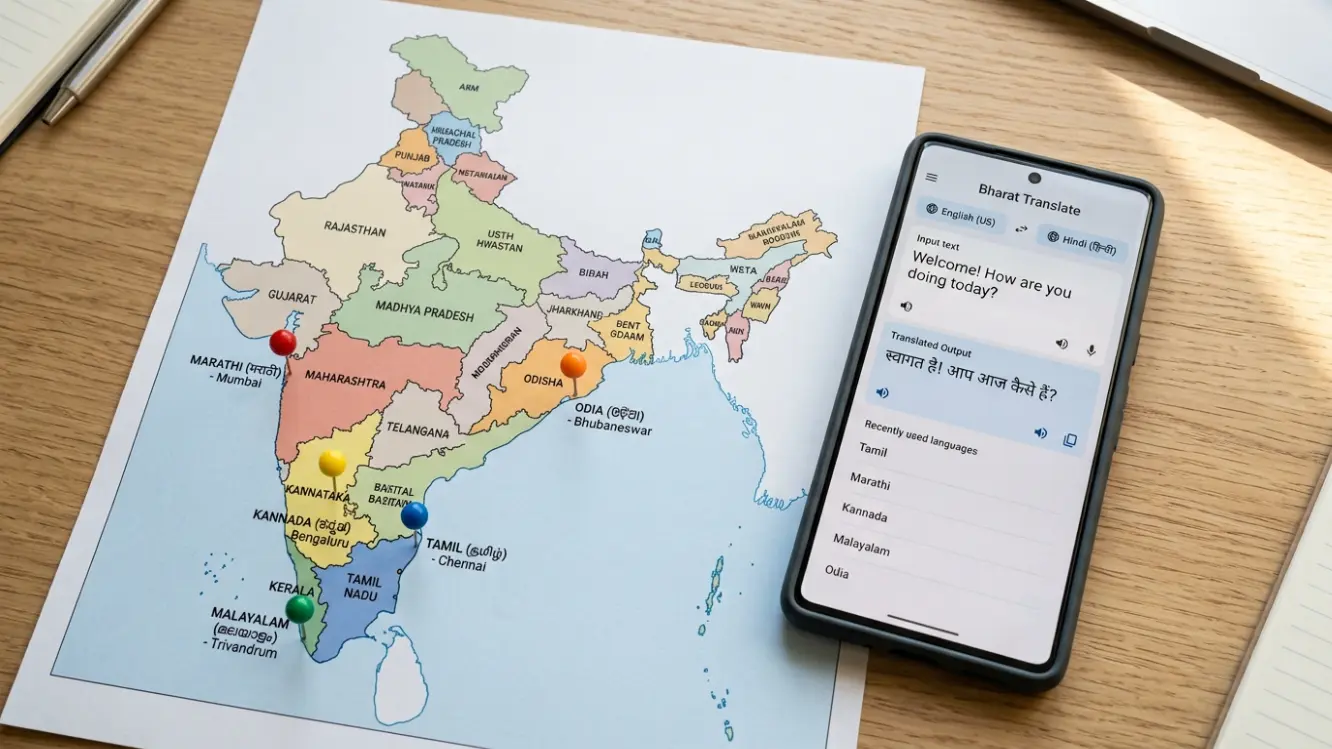
Google Translate for Other Indian Languages has become useful for people who need help with regional Indian language translation beyond Hindi. India has more officially recognized languages than most countries have total languages, and Google Translate has slowly built out support for many major regional languages over the years. This guide focuses on setting up and using the app for Marathi, Tamil, Malayalam, Kannada, and Odia, since these are some of the most commonly searched regional language pairs. If you’re setting the app up for the first time, our general setup guide covers installation and basic settings before you get into the language-specific tips here.
English to Marathi Translation
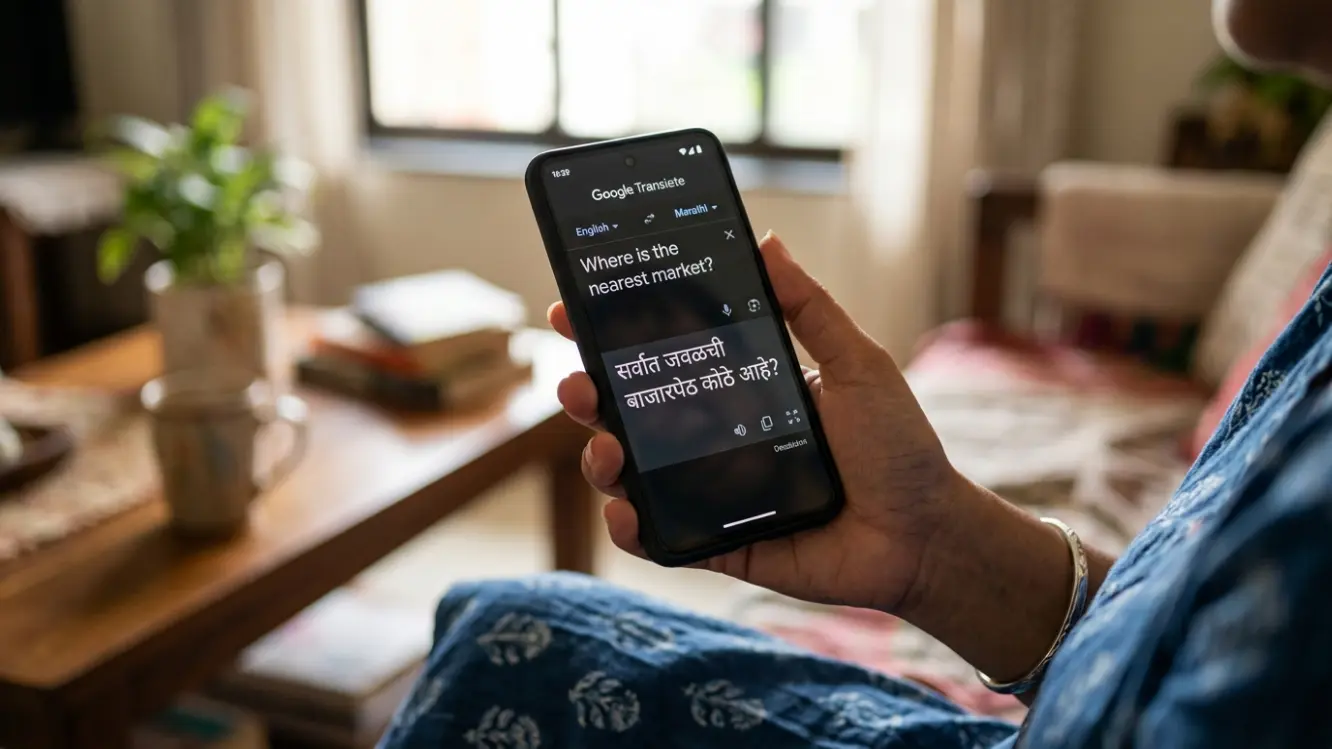
Setting up English to Marathi translation works the same as any other language pair inside the app, select English as your source and Marathi as your target from the language dropdown menus. If you’re on a desktop, this isn’t actually a separate download process, it just means using the browser version at translate.google.com and selecting Marathi from the language list there.
Marathi uses the Devanagari script, the same one used for Hindi, though the vocabulary and grammar differ enough that treating them as entirely separate languages within the app matters. Don’t assume a Hindi setting somehow covers Marathi too, they’re set up as fully distinct language pairs.
Malayalam Translation
For Malayalam, the app handles both directions reasonably well. Set Malayalam as your source language for Malayalam to English translation, or flip it around for English to Malayalam. Malayalam’s script has a lot of compound characters and conjunct consonants, so double check any translated output that includes proper names or technical terms, since those are the areas most likely to come out slightly off compared to everyday conversational phrases.
Voice input tends to work more reliably than typing for Malayalam specifically, given how visually complex the script is to type accurately on a standard phone keyboard layout. If you’re translating anything longer than a short phrase, speaking it aloud instead of typing it out character by character will likely save you time and produce a cleaner result.
Tamil Translation
Tamil is one of the oldest living languages still in daily use, and Google Translate supports it reasonably well for everyday conversation. For Tamil to English translation, speaking clearly in voice mode tends to produce better results than typing complex sentences, since Tamil grammar structure differs quite a bit from English in terms of word order and sentence construction.
Going the other way, English to Tamil translation follows the same basic steps as any other pair, though it’s worth noting that Tamil has fewer loanwords from English compared to some other Indian languages, which occasionally means a direct translation sounds more formal or old-fashioned than how people actually speak casually. For everyday texting, this rarely causes real confusion, but it’s a small quirk worth knowing about.
Kannada Translation
Kannada support has improved a lot over recent app updates. Setting up English to Kannada translation works fine for short phrases and everyday sentences, though longer formal documents may need a manual review pass since Kannada has several formal and informal speech registers that automatic translation doesn’t always distinguish correctly on the first attempt.
As with several other regional scripts, voice input generally outperforms typing for Kannada, particularly for longer sentences where typing conjunct characters one at a time on a phone keyboard becomes genuinely tedious. If you find yourself translating Kannada often, it’s worth spending a few minutes getting comfortable with voice mode rather than defaulting to typing out of habit.
Odia Translation
Odia is one of the less commonly supported languages in most translation apps generally, but Google Translate does include it, and support has been gradually improving. English to Odia translation covers basic conversational needs reasonably well, though it’s still catching up to more widely used languages like Hindi or Tamil in terms of overall accuracy for complex or technical sentences.
If you’re translating something important in Odia, like an official document or medical information, treat the output more cautiously than you might with a more established language pair, and get a native speaker to review anything with real consequences attached before relying on it fully.
Bengali, Telugu, Punjabi, and Other Major Regional Languages
Beyond the five languages covered in detail here, Google Translate also supports several other major Indian languages worth mentioning briefly. Bengali and Telugu, both spoken by well over 80 million people each, tend to perform similarly well to Marathi and Tamil in terms of overall translation accuracy, given their large speaker bases and the amount of training data available.
Punjabi support has also grown steadily, particularly useful for communication across Punjab and among Punjabi-speaking communities abroad. As with the other regional languages covered above, voice input tends to be the more practical input method across the board, simply because typing in any non-Latin script on a standard phone keyboard remains slower and more error-prone than speaking naturally.
General Tips for Regional Indian Languages
Across all of these languages, voice input tends to outperform typing, mainly because typing in non-Latin scripts on a standard phone keyboard is slow and error prone for most users, while speaking sidesteps the entire keyboard layout problem. Our full voice translation guide covers general tips for clearer voice input, and most of those tips apply directly to Indian regional languages as well.
If you’re translating something important, like a legal document or medical information, treat the output as a starting draft rather than a final version, and get a native speaker to review anything with real consequences attached before acting on it. This applies across every regional language mentioned here, not just the less common ones like Odia.
Camera translation also works across these scripts for signage, packaging, and printed documents, though as covered in our camera and photo translation guide, a clear, well-lit, flat shot makes a real difference in accuracy, particularly for scripts with dense or compound characters like Malayalam and Kannada.
Comparing Regional Language Support to Hindi
Hindi remains the most refined regional language pair inside Google Translate, given how many people search for and use it daily, which naturally gives the underlying model more real-world data to learn from over time. Our detailed English to Hindi walkthrough covers that specific pair in depth, including formal tone handling and script display options that don’t always come up when discussing regional languages more broadly.
If your daily life involves both Hindi and a regional language, like Marathi or Tamil alongside Hindi, expect Hindi translations to come out slightly more polished on average, simply due to the difference in available training data between the two. This gap has narrowed over recent years as regional language support has improved, but it hasn’t fully closed for every language pair yet.
Using Regional Language Support for Family Communication
A common, less discussed use case for these regional language tools is communication within multigenerational families, where grandparents or older relatives are more comfortable in a regional language while younger family members abroad or in another city primarily use English day to day. Voice translation in particular smooths over a lot of friction here, letting a grandparent speak naturally in Tamil or Marathi and have it translated for a family member who understands the language less fluently, or not at all.
This use case tends to work best with short, everyday phrases rather than long, emotionally nuanced conversations, since tone and warmth don’t always translate as cleanly as factual content. Still, for basic day-to-day connection across a language gap within a family, it closes a real distance that would otherwise require one person to constantly act as an interpreter.
Common Mistakes With Regional Language Translation
A frequent mistake is assuming every Indian language performs at the same level of accuracy inside the app, when in reality, support quality varies noticeably based on how many people use that specific language pair regularly. Treating Odia translations with the same confidence as Hindi translations, for example, can lead to misunderstandings that a bit of extra caution would have avoided.
Another common issue is typing complex, formal sentences and expecting a smooth result, when breaking the same thought into two or three simpler sentences almost always produces a cleaner translation across every regional language covered here, not just the more established ones.
Frequently Asked Questions
Which Indian regional language does Google Translate support most accurately?
Hindi tends to perform the most reliably given its large user base, followed closely by Tamil, Bengali, and Telugu, all of which have substantial numbers of daily users contributing to better translation quality over time.
Is voice input better than typing for all Indian languages?
Generally yes, mainly because typing in non-Latin scripts on a standard keyboard is slower and more error-prone than speaking naturally, which the app’s speech recognition handles reasonably well across most major regional languages.
Can I use camera translation for regional Indian scripts?
Yes, camera translation works across Marathi, Tamil, Malayalam, Kannada, Odia, and other regional scripts, though a clear, well-lit, flat shot improves accuracy, especially for scripts with dense or compound characters.
Should I trust the app for official or legal documents in a regional language?
Treat it as a helpful starting draft rather than a final version for anything official, and have a native speaker review the translation before submitting it anywhere formal.
Business and Workplace Use Across Regional Languages
Businesses operating across multiple Indian states often deal with a genuine mix of regional languages among staff, vendors, and customers, and Google Translate frequently ends up as the quickest practical bridge for day-to-day coordination. For internal communication, like a quick message to a vendor in Kannada or a customer inquiry in Odia, a fast machine translation is usually more than sufficient to keep things moving without waiting on a dedicated translator for every small interaction.
Where this breaks down is anything involving contracts, compliance documents, or customer-facing material that represents the business formally. For those situations, treat the app’s output the same way you would for any other formal use case discussed throughout this guide, as a helpful first pass rather than a finished, submission-ready document. A quick review from a native speaker on staff, or a professional translation service for higher-stakes material, closes the gap that machine translation alone can’t fully cover for regional languages with less training data behind them.
Setting Default Language Pairs for Frequent Use
If you regularly switch between English and the same regional language, whether that’s Marathi, Tamil, Malayalam, Kannada, or Odia, setting that pair as your default inside the app saves a small but meaningful amount of friction every time you open it. The app remembers your most recently used pairs, so using the same one consistently for a few days naturally pushes it to the top of your quick-access list without any manual configuration needed.
For households or workplaces where multiple regional languages come up regularly, it’s worth taking a minute to bookmark or star your two or three most common pairs so you’re not scrolling through a long alphabetical language list every single time you need to switch between, say, Tamil and Kannada on the same day.
Final Thoughts
Google Translate has come a long way in supporting India’s linguistic diversity, but coverage quality still varies by language. Marathi, Tamil, and Malayalam tend to perform the most reliably given their larger user bases, while Kannada and Odia are improving steadily but may need a bit more manual double checking for anything beyond casual conversation. Whichever regional language you’re working with, lean on voice input where you can, and treat anything formal or high-stakes as a draft that still needs a human review before it goes anywhere important.