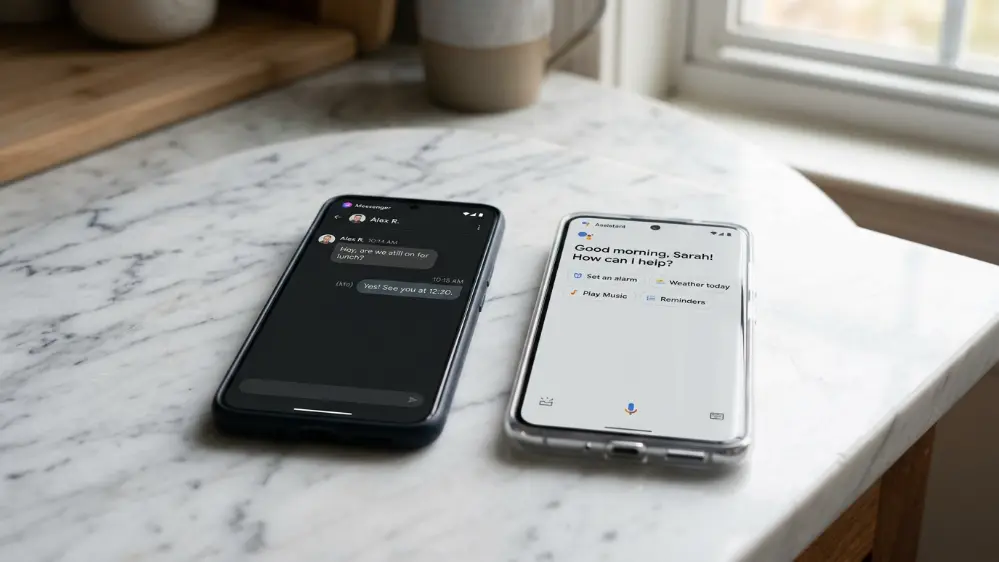
The ChatGPT vs Siri AI 2026 debate has been building since Apple’s WWDC keynote in June. Apple finally gave Siri a real brain this year. That naturally raises the obvious question. If Siri AI can now hold a conversation, remember context, and look at your screen, do you even need ChatGPT anymore? Or is Siri AI just catching up to something ChatGPT already does better?
We spent time going through what both assistants can actually do, not just what the marketing slides promise, testing similar prompts across both and paying attention to where they genuinely diverge. Here’s the full breakdown.
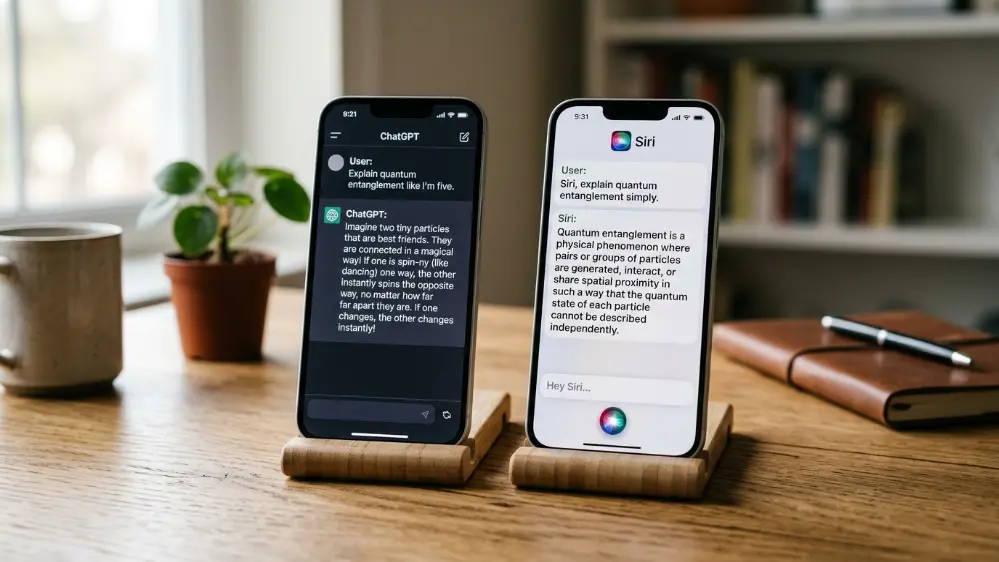
Two Very Different Starting Points
Before comparing features, it helps to understand what each assistant was actually built to do. If you haven’t already, our full breakdown of the update covers this in detail: Siri AI 2026: Apple’s Full Siri Overhaul Explained.
ChatGPT was built from day one as a general purpose AI you talk to directly. It doesn’t care what device you’re on. It exists to answer questions, write things, explain things, and now, with the newer ChatGPT Work tool, actually complete tasks like building spreadsheets and documents for you.
Siri AI was built to be a personal assistant stitched into your devices. Its entire value comes from knowing your messages, your calendar, your photos, and your screen, then acting on that information without you having to explain your situation from scratch every time.
That difference in purpose shapes almost everything else in this comparison, and it’s part of why Apple’s own hardware strategy looks so different from what OpenAI is attempting with its own screenless AI device built with Jony Ive. Apple is trying to make an assistant that lives quietly inside hardware you already own. OpenAI is trying to build assistants into entirely new categories of hardware. Those are two very different bets on where AI assistance actually belongs in daily life.
Conversational Ability
This is where the gap used to be enormous, and where Apple has actually closed most of the distance. Siri AI now supports real multi-turn conversations. You can ask a follow up question without restating the subject, and it understands what you meant. Ask it to compare two restaurants, then ask “which one is closer,” and it knows exactly which two you’re talking about.
ChatGPT still has the edge in raw conversational depth. It can hold long, nuanced discussions, adjust tone on request, and go deep into a topic across dozens of exchanges without losing the thread. If you’re trying to work through a complicated personal decision, draft a difficult email, or talk through a technical problem step by step, ChatGPT’s ability to stay coherent across a much longer exchange still shows.
Siri AI is built more for quick, useful exchanges rather than long form discussion, which makes sense given its role. It’s designed to fit into the gaps of your day rather than become the main event. Ask it something on your way out the door, get a fast, contextual answer, and move on. That’s a different design goal than sitting down for a thirty minute back and forth about a work project, which is squarely ChatGPT’s territory.

Accuracy and How Each One Handles Uncertainty
Both assistants can get things wrong, and it’s worth being honest about that rather than pretending either one is flawless. ChatGPT, especially on more capable model tiers, tends to be upfront when it’s uncertain and will often say so directly, or offer to search the web for a more current answer. Siri AI leans on Gemini’s underlying model for its reasoning, plus Apple’s own private cloud compute for anything involving your personal data, which means its accuracy depends heavily on how well those two systems hand off information to each other.
In early hands on testing reported by several outlets, Siri AI performs well on questions tied to your own device and data, things like “what time is my dentist appointment” or “who texted me about the birthday party.” It’s less consistent on general knowledge questions compared to ChatGPT, particularly anything requiring nuanced reasoning across multiple steps. That’s not a knock on Apple so much as a reflection of scope. Siri AI wasn’t built to be an encyclopedia. It was built to be a fast, contextual layer on top of your own life.
Screen and Personal Context Awareness
This one belongs to Siri AI, and it’s not close. Because Siri AI is built into the operating system itself, it can read your screen, pull details from your messages, mail, and calendar, and answer questions about things happening on your device right now.
ChatGPT can analyze a screenshot if you upload one, but it doesn’t have standing access to your personal apps and data the way Siri AI does. That’s by design. ChatGPT is a separate app you choose to share information with, not something baked into your operating system.
If you want a tool that already knows your schedule without you explaining it, Siri AI wins here. If you want a tool that treats every conversation with a blank slate for privacy reasons, that’s arguably a feature of ChatGPT, not a weakness. Some people genuinely prefer not having an AI system with standing access to their messages and photos, even if it means typing out more context manually when they need help.
Getting Actual Work Done
This is where things get interesting. Apple has hinted at agentic extensions for Siri that could let it complete multi-step actions inside other apps, but that’s still mostly a roadmap item rather than something you can rely on today.
OpenAI, meanwhile, already shipped something similar. ChatGPT Work, launched in July 2026, is an agent that can gather context across your files and apps and return finished documents, spreadsheets, and presentations rather than just answers. We covered exactly what it does here: ChatGPT Work Explained.
Right now, for anything beyond personal task management, ChatGPT has the more mature toolset for actually producing work product. If you need a spreadsheet built from scattered notes, a presentation drafted from an outline, or a document pulled together from several sources, ChatGPT Work is simply further along than anything Siri AI currently offers. Apple’s approach is still centered on quick actions, like sending a message or setting a reminder, not multi-hour project completion.

Availability and Access
ChatGPT works on basically any device with a browser or app, regardless of whether you’re on iPhone, Android, Windows, or Mac. Siri AI, unsurprisingly, is locked to Apple hardware, and even within Apple’s own ecosystem it requires fairly recent devices to run the newer features.
Siri AI also isn’t launching in the EU or China at first, while ChatGPT is broadly available worldwide with the exception of a few restricted regions. If cross-platform flexibility matters to you, that’s a clear point in ChatGPT’s favor, and it’s one of the reasons ChatGPT ranks so highly in our Best AI Assistant Apps of 2026 comparison.
There’s also a practical angle worth considering here. If your household or workplace has a mix of Android and iPhone users, ChatGPT gives everyone the same experience regardless of hardware. Siri AI, by contrast, only ever works for the people already inside Apple’s ecosystem, which is a meaningful limitation if you’re trying to standardize on one assistant across a shared family plan or a small team.
Voice Quality and Everyday Usability
Apple did put real work into Siri AI’s voice, adding more expressive tone options and better pacing. For quick tasks like sending a text hands free or asking about the weather while cooking, Siri AI’s tight integration with the rest of iOS still makes it faster in practice, since you don’t need to open a separate app.
ChatGPT has a capable voice mode too, and it’s genuinely good for longer spoken conversations, but it doesn’t have the same system level shortcuts that let Siri fire off quick actions almost instantly. Asking Siri to turn off a light or start a timer while your hands are covered in flour is still a faster interaction than pulling up an app, even a well built one.

Personalization and Memory Over Time
Both assistants are trying to get better at remembering who you are across sessions, not just within a single conversation. ChatGPT has memory features that let it recall preferences and details you’ve shared previously, carrying that context into future chats if you’ve enabled it. Siri AI’s version of memory works differently, since it’s less about explicit stored preferences and more about pulling live context from your device at the moment you ask a question.
In practice, this means ChatGPT can feel more like a persistent assistant that builds a profile of how you like things done over weeks and months, while Siri AI feels more like a highly informed assistant that always knows what’s happening on your phone right now, but doesn’t necessarily build the same long running relationship with your preferences the way ChatGPT can.
Privacy and Where Your Data Goes
Apple has leaned hard into on-device processing and private cloud compute as selling points for Siri AI, even though the conversational engine underneath is a custom Google Gemini model. Apple’s pitch is that your personal data stays under Apple’s privacy umbrella regardless of which model is doing the reasoning.
OpenAI has its own privacy controls and enterprise-grade data handling options, particularly for business users, but by nature ChatGPT is a separate service you’re actively choosing to share information with, rather than something with built-in access to your device.
Neither approach is objectively better. It comes down to whether you’d rather have deep integration with a company that already has your data anyway, or a separate tool you control more directly, a tradeoff that also comes up with wearables like the Fitbit Air, which shares health data with Google’s own AI coach.
Cost Comparison
Siri AI comes bundled with your Apple device at no additional charge, assuming your hardware qualifies. There’s no separate subscription tier for the assistant itself, though some Apple Intelligence features have historically required specific device generations.
ChatGPT has a free tier that gives you access to a capable model with usage limits, plus paid tiers that unlock more advanced models, higher usage caps, and tools like ChatGPT Work. For someone who just wants occasional help, the free tier is often enough. For anyone using it heavily for work, a paid plan quickly becomes worthwhile given how much time it can save on drafting and research tasks.
Real World Scenarios: Which One Actually Wins
It helps to think through a few concrete situations rather than comparing features in the abstract.
Planning a trip: ChatGPT tends to be stronger here, since it can hold a longer planning conversation, compare options in depth, and adjust an itinerary across multiple back and forth exchanges without losing track of your preferences.
Managing your day: Siri AI wins clearly, since it already knows your calendar, your messages, and what’s currently on your screen, letting it answer questions like “when do I need to leave for my next meeting” without you providing any extra context.
Drafting a work document: ChatGPT, especially with ChatGPT Work, is the stronger option, since it’s built specifically to produce finished materials rather than just conversational answers.
Quick hands free tasks: Siri AI has the edge simply because it’s already built into the operating system and doesn’t require opening a separate app.
So Which One Should You Actually Use?
Realistically, most people end up using both, just for different things. Siri AI makes sense for anything tied to your daily routine on your device, quick questions, actions across your own apps, and anything where it already has the context. ChatGPT makes more sense when you need deep, open ended help, want something that works the same way across every device you own, or need to actually produce a finished piece of work rather than just get an answer.
If you want the full picture of how these two stack up against Google’s Gemini as well, our roundup covers all three: Best AI Assistant Apps of 2026: ChatGPT vs Gemini vs Siri Compared

Frequently Asked Questions
Is Siri AI better than ChatGPT? Neither is strictly better. Siri AI has deeper access to your personal device data and screen content, while ChatGPT has broader conversational range and works across every platform, not just Apple devices.
Does Siri AI use the same technology as ChatGPT? No. Siri AI runs on a custom Google Gemini model, while ChatGPT runs on OpenAI’s own GPT models, currently GPT-5.6.
Can Siri AI replace ChatGPT? For quick, device-specific tasks, possibly. For long, open ended conversations or generating finished documents and spreadsheets, ChatGPT still has more mature tools available.
Which one is free to use? Siri AI comes included with compatible Apple devices at no extra cost. ChatGPT has a free tier with usage limits, plus paid plans that unlock more advanced models and tools like ChatGPT Work.
Will Siri AI work on Android? No. Siri AI is exclusive to Apple’s own devices and operating systems.
Which assistant is more accurate for general knowledge questions? Based on early testing, ChatGPT tends to perform more consistently on broad general knowledge and multi-step reasoning questions, while Siri AI is stronger on anything tied directly to your own device and personal data.
Do I have to choose only one assistant? No. Many people run both side by side, using Siri AI for quick device-specific tasks and ChatGPT for longer conversations or finished work output.